GTA Online is the version of GTA in which you can play with your friends. It allows you to complete missions, run businesses, and enjoy heists. However, if you own a MacBook, you must want to know if you can play GTA Online on MacBook. As a MacBook user, you must be looking for the answer to this question everywhere.
Thus, to help you, we have come up with this guide. Here, we have covered everything that you need to know. Be with us till the end, and you will get a clear answer.
Can You Play GTA Online on a MacBook?
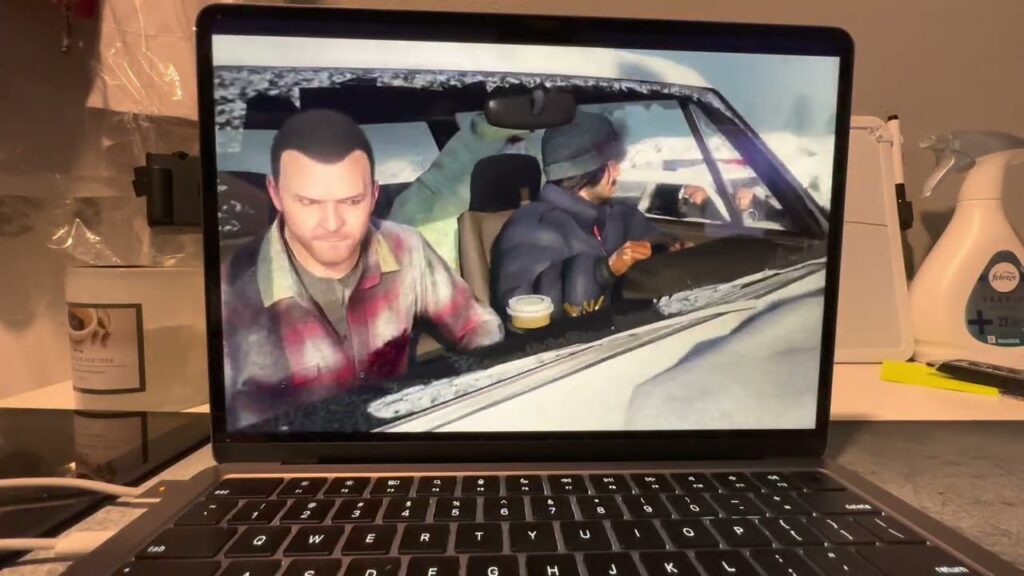
The first thing that you must know is whether you can play GTA Online on a MacBook or not. The simple answer to it is yes, but depending upon the method you have selected.
Please note that there is no official MAC version of GTA 5 online or even of GTA 5. It means that you cannot directly install the game on your MacBook. However, by using a different way, you can still enjoy GTA Online on your MacBook.
How to Play GTA Online on MacBook?
Just like you can play GTA Online on mobile in various ways, you can play it on a MacBook. There are mainly 2 ways by which you can play GTA Online on your MacBook:
Cloud Gaming
One of the easiest ways to play GTA Online on a MacBook is by using cloud gaming services. In this method, you can play the game on powerful remote servers. It will help to stream the game directly to your MacBook. This means that you do not need to install the game on your device or worry about storage space. Further, I have mentioned some of the cloud gaming tools that you can use to play GTA Online on a MacBook:
NVIDIA GeForce NOW
NVIDIA GeForce NOW is one of the most popular cloud gaming platforms that you can use to play on a MacBook. You can use it to directly stream on the MacBook. There is no need for any powerful hardware.
Xbox Cloud Gaming
Microsoft provides Xbox Cloud Gaming as part of Xbox Game Pass. With its help, you can enjoy GTA Online without downloading the game. However, please note that there is a chance that you might not see it on Xbox Cloud Gaming services. It is because Rockstar Games keeps changing the availability of GTA games.
PlayStation Plus Cloud Streaming
If you are a PlayStation user, then it is another option for you to play GTA Online on a MacBook. It allows you to stream games directly through the internet instead of installing them on your MacBook.
Remote Play
This is another way by which you can play GTA Online on a MacBook. It is further divided into 2 different ways:
PlayStation Remote Play
This method generally works best for PlayStation 4 and 5. It can be the easiest method. All you need to do is install the PlayStation Remote Play application on your MacBook. Then sign in with your PlayStation account. Once done, you can enjoy GTA Online directly on your MacBook screen.
Xbox Remote Play
If you are an Xbox user, you can use Xbox Remote Play to stream the game to your MacBook. Install the Xbox Remote Play application on your device. Now log in with your Xbox account, and you are done. Once connected, you can enjoy GTA Online on a MacBook.
Can You Use Boot Camp to Play GTA Online on MacBook?
If you have an older Intel-based MacBook, you can use Boot Camp. Boot Camp helps you to install Windows along with macOS. Once Windows is installed, your MacBook behaves like a Windows computer. Now you can install GTA 5 and GTA Online just like any other PC game. Please note that it only works on Intel MacBooks.
Conclusion
There is no official version of GTA Online for macOS. However, it does not mean that you can not play GTA Online on MacBook. There are two main ways by which you can play it on your MacBook: cloud gaming services and remote play. You can also use Boot Camp to play GTA online on MacBook if you have an older Intel-based MacBook. The best option mainly depends on the type of MacBook you own and the gaming devices available to you.