The only feature that most of the players love to explore is the license plate creator GTA online tool. It allows you to customise your vehicle with personalised number plates. You can add your name, crew tag, or even use a creative phrase.
Earlier, you needed to use the iFruit app to create custom plates. However, Rockstar has replaced it with the new GTA Online License Plate Creator. It works directly through a web browser. If you also want to know more about this feature, we are here to help you. Let’s dive in and explore everything you need to know about it.
What Is the License Plate Creator GTA Online Tool?
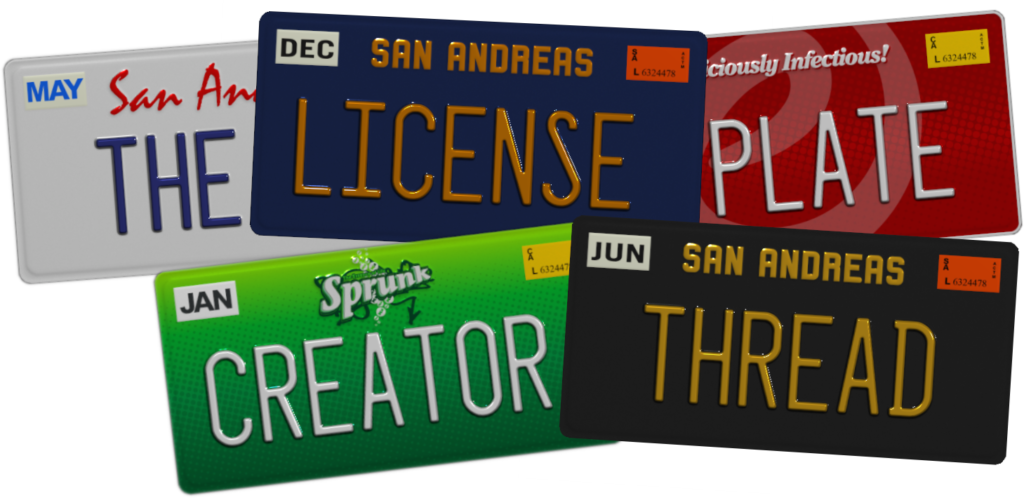
The License Plate Creator is basically an official web-based platform for GTA Online. With it, you can design and manage custom license plates for your vehicles.
It is basically a replacement for the old iFruit mobile application. Instead of using mobile devices, you can now create plates directly through a web browser. The best thing about it is that it is completely free to use. You can create up to 30 custom license plates linked to your games account.
How to Use the License Plate Creator GTA Online Tool?
If you want to create your own custom plate, follow these simple steps:
Join a Grand Theft Auto Online session
Start by joining the Grand Theft Auto Online session and choosing the character you want to create a license plate for.
Log In to the Tool
Open the Rockstar Games License Plate Creator in your browser. Now, sign in using your Rockstar Games account, which is connected to your GTA Online character. Make sure you are using the correct account.
Create a New Plate
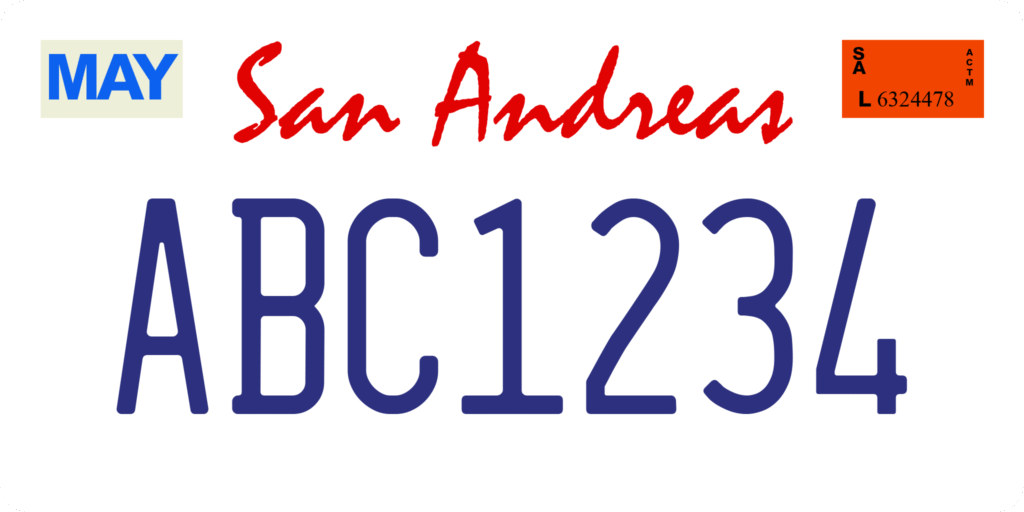
Once you are logged in, tap on the New Order button. You will get a new tab where you can enter all the details of the new plate.
Enter Your Custom Text
Enter the text you want to give to your plate. You will also need to provide an initial plate background to apply it to. Make sure to keep some rules in mind:
- Can use a maximum of 8 characters
- Letters, numbers, and spaces are allowed
- Offensive or restricted words are blocked automatically
Choose Your Vehicle
Tap Next. If the text is good to go, then you will see a list of eligible vehicles. Choose one of your choice. The list usually includes your 10 most recently driven personal vehicles. If there are no vehicles listed for this character, you can purchase an in-game vehicle. Alternatively, you can also choose a different character and try again.
Place the Order
Once you check the changes, tap on Place Order. You will then receive a confirmation. Now your plate is ready to collect in GTA Online with the selected vehicle.
How Do You Pick Up Or Apply My License Plate Order?
Just creating the plate online is not the only step. You still need to claim it inside GTA Online. Here are some of the steps to do it:
- In an active GTA Online session, just leave your garage or in-game shops. Now enter the free-roam zone.
- As soon as you book the web order, you should receive a text message that confirms that the order is ready to be picked up.
- Now use the same vehicle you selected for the order at an auto shop.
- Tap on Process Order in the Shop’s menu. You will see the plate and background are automatically applied to your chosen vehicle.
- This customized plate is now available to apply from the vehicle customization menu in the “Plate” section. You can apply this plate to any of your vehicles.
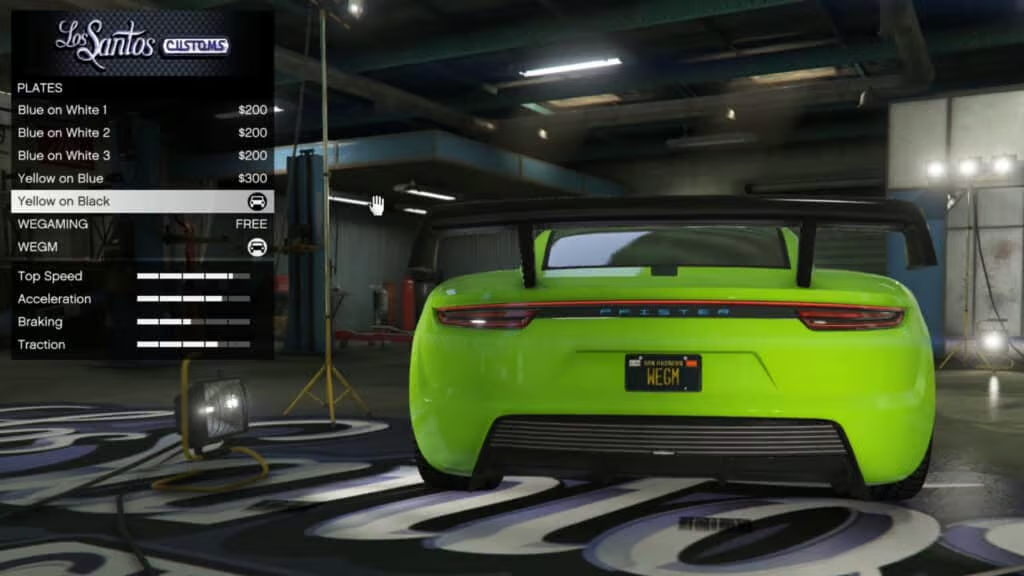
How to Apply a License Plate to a Different Vehicle?
Here are the steps to apply a license plate to a different vehicle:
- Visit a vehicle shop with the one you wish to apply the license plate to.
- Tap on Plates.
- You should see your custom plate in the list of options.
- Select the one, and you are ready to go.
How to Cancel the Plate Order That You Have Not Picked Up?
If you want to cancel a pending license plate order, follow these steps:
- Again visit the License Plate Creator page and log into your account.
- Now look for your plate. It will have a status of Order in Progress.
- Just click Cancel.
- Confirm by clicking the Yes button on the screen, and you are done.
How to Make Changes to a Pending License Plate Order?
Here are the steps to make changes to a pending license plate order:
- Visit the License Plate Creator and log into your Rockstar Games account.
- Look for the plate on which you were working.
- Select Edit.
- Make the required changes.
- Now place your updated order by tapping Place Order.
Conclusion
The License Plate Creator GTA Online tool helps you to personalise your vehicles with custom number plates. It is basically a replacement for the old iFruit app. Now all you need is to visit the browser version. Whether you want to create a unique plate or apply it to multiple vehicles, you can easily do it with this tool. Just follow the steps correctly, and you can make your own customized plates.